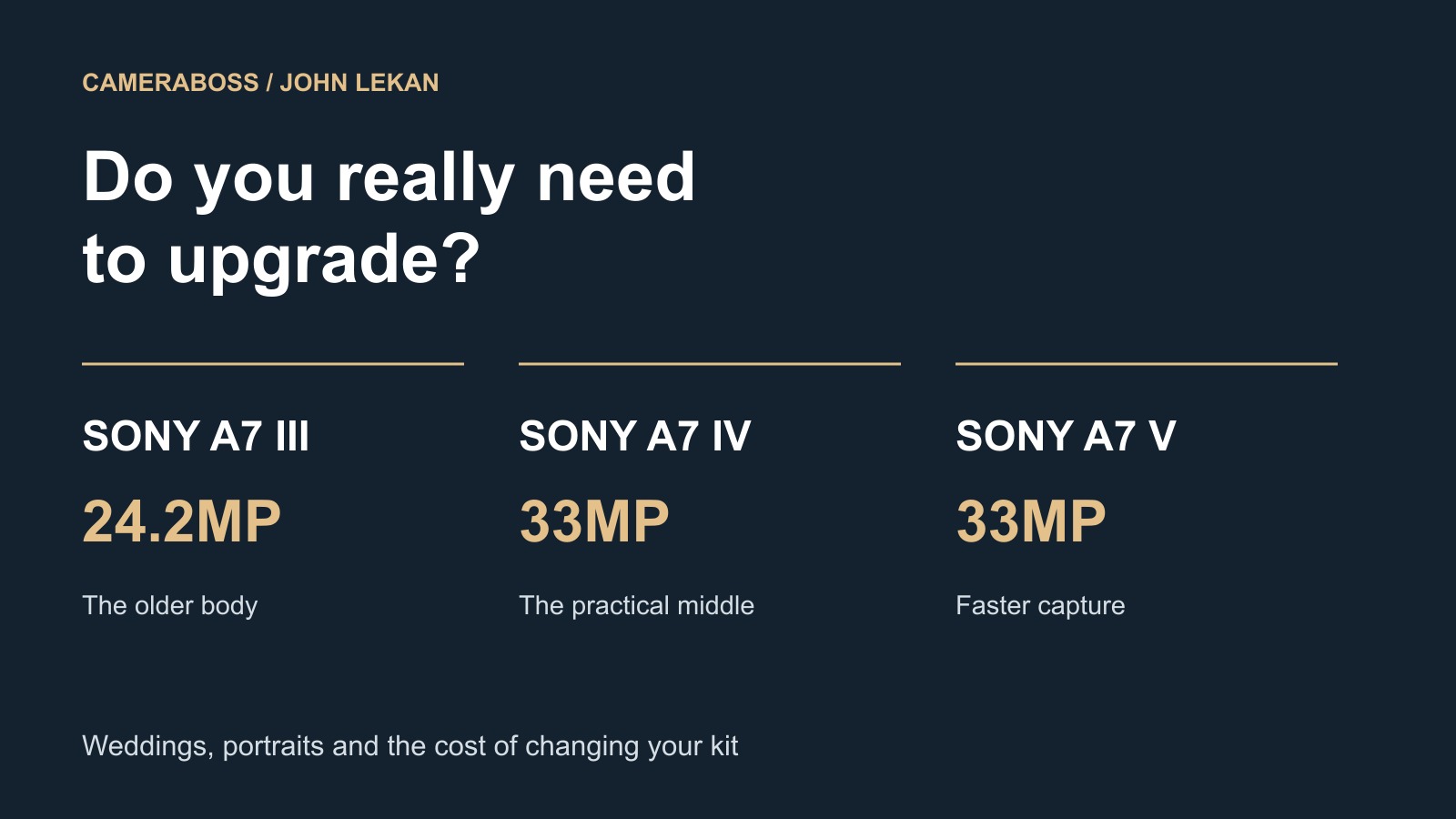
I have published this full comparison here and on CameraBoss, where you can also see the wedding and portrait side of my work.
If you already have a Sony A7 IV, I would want you to answer one question before buying the A7 V: what do you need the new camera to do for you?
Perhaps the autofocus is struggling to stay with the couple during an entrance. Perhaps you shoot photographs and film, and the crop in 4K50 is making a small preparation room even smaller. Those are things you can investigate. Buying another camera because the number on the front has changed is a much harder purchase to justify.
On my CameraBoss gear page, the A7 IV is listed as my main camera and the A7 III as my second. So I am looking at this comparison from a working photographer's position: weddings, portraits, travelling with the equipment, and getting the work delivered afterwards.
The A7 V has some very useful improvements. I would just want to know which of them I was paying for. For someone starting out, that same money may need to cover a lens or a second body as well.
Which three cameras are we talking about?
People write A73, A74 and A75, but the names are A7 III, A7 IV and A7 V. These are generations of the same mainstream Sony A7 line. The V was announced on 2 December 2025. An A7R V is a different camera, so check that the review, price or accessory you are looking at belongs to the right model. Sony's A7 V announcement
The R and S branches have different priorities: resolution for the R line, and sensitivity and video for the S line. Here I am comparing the three mainstream bodies, starting with the figures that affect the work.
| Feature | Sony A7 III | Sony A7 IV | Sony A7 V |
|---|---|---|---|
| Effective still resolution | 24.2MP | 33MP | 33MP |
| Largest 3:2 still | 6000 × 4000 | 7008 × 4672 | 7008 × 4672 |
| Sensor design | Back-illuminated Exmor R CMOS | Back-illuminated Exmor R CMOS | Partially stacked Exmor RS CMOS |
| Processing generation | BIONZ X | BIONZ XR | BIONZ XR2, integrated AI processing |
| Maximum phase-detection AF points | 693 | 759 | 759 |
| Published low-light AF limit | −3 EV | −4 EV | −4 EV |
| Maximum continuous shooting | 10 fps | 10 fps | 10 fps mechanical; 30 fps electronic |
| Pre-capture | No | No | Up to one second |
| Nominal stills stabilisation | 5 stops | 5.5 stops | 7.5 centre / 6.5 periphery |
| Rear screen | 3.0in, 0.922m dots, tilt | 3.0in, 1.037m dots, side hinge | 3.2in, 2.095m dots, tilt and side articulation |
| Electronic viewfinder | 2.36m dots | 3.69m dots | 3.69m dots |
| Battery family | NP-FZ100 | NP-FZ100 | NP-FZ100 |
These are Sony's published specifications. Maximum burst rates come with conditions. The low-light AF figures use ISO 100 and an f/2 lens; the V specifies AF-S. Stabilisation figures also use different test methods, which I explain below. III specifications, IV specifications, V specifications
The megapixels: 24.2, 33, and still 33
This is where I would start. The III gives you 24.2 megapixels. The IV gives you 33, and so does the V. If you move from an IV to a V, your largest native photograph stays at 7008 × 4672 pixels.
Going from the III to either of the newer bodies gives roughly 36% more effective pixels. Across the width of the image, the increase is about 17%. That is extra room to crop a ceremony photograph when you could not move any closer, or to make another composition from a portrait. It does not mean you can make a print 36% wider at the same pixel density.
For instance, at 300 pixels per inch, the III's 6000 × 4000 file works out at 20 × 13.3 inches. The IV and V work out at about 23.4 × 15.6 inches. These are calculations from the file dimensions, not a limit on how large you can print. The image, viewing distance and print material still matter.
If I am making portraits, I want to know what the photograph is for. An album, an exhibition print and an advertising image with several crops place different demands on the file. Both resolutions can produce substantial output. The 33MP files give you more flexibility when the brief needs it.
Crop mode leaves you with roughly 10MP on the III and 14MP on the IV or V. You are using a smaller part of the sensor; the lens has not suddenly gained more optical reach. Keep that remaining resolution in mind if you expect to crop again during editing.
The V also supports Sony's computer-based Extended RAW Processing. Extended Hi-Res can double the output width and height from one RAW image, giving four times the output pixels. That is software processing, separate from the native 33MP sensor and from Pixel Shift capture. I would judge the result on the actual image I wanted to print. Sony's processing guide, V software support
Image quality and skin tones
All three have the same standard stills ISO range, 100 to 51,200, with expanded settings beyond it. That alone tells you very little about which photograph will look better in a dark reception. To compare noise properly, use the same exposure and compare at the same final output size. A 100% view of files with different resolutions can lead you to the wrong conclusion.
Sony claims 15 stops of dynamic range for the IV and up to 16 for the V. The V's figure applies to mechanical shutter shooting. I would keep that condition attached to the number: it is not a promise that every V file has an extra stop over every IV file. Sony's IV announcement, V announcement and conditions
Say you are photographing someone beside a window. You have the face, the white dress and a very bright patch of daylight to manage. A newer sensor may give you more room in the edit, but you still have to decide how to expose the photograph. If the light on the face is poor, start there.
The V uses AI-based light-source estimation for auto white balance. I can see the appeal when moving between daylight and indoor lighting, especially if it makes a sequence more consistent. But a room containing several different light sources will still need your attention. Sony's V white-balance description
For the different skin tones I photograph, I would continue to work carefully with exposure, light and the editing profile. When using two generations together, make a reference photograph under the same light and match the files before applying a preset to the whole gallery. Otherwise you can spend a lot of time correcting differences you could have dealt with at the start.
Hold the camera with your own lens on it
The III is the smallest of the three. The IV has a revised grip and larger body. Sony refines the V's finger fit and access to the shutter again. That sounds straightforward on paper, but I would put my usual lens on the camera before deciding whether it is comfortable. A small prime does not tell you how the same body will feel with a heavy zoom and a flash. IV handling changes, V grip design
| Travel and handling measurement | A7 III | A7 IV | A7 V |
|---|---|---|---|
| Approximate weight, battery and SD card included | 650g | 658g | 695g |
| Approximate overall W × H × D | 126.9 × 95.6 × 73.7mm | 131.3 × 96.4 × 79.8mm | 130.3 × 96.4 × 82.4mm |
| Difference from III, one body | — | +8g | +45g |
These weights include a battery and SD card. The IV and V manuals state that explicitly, so I have used those figures rather than mixing bare-body and loaded-camera weights. III weight, IV manual, V manual
Two Vs add about 90g over two IIIs. Your lens choices and accessories will usually make a bigger difference to the bag. I would be more concerned about whether I can reach AF-ON comfortably and turn the front dial without rearranging my hand every time.
Turn the camera vertically, too. Try it with your strap or harness attached. You may hold it for a few minutes in a shop and carry it for hours at a wedding. You need to be comfortable operating it, not just holding it still.
The buttons: C1 has moved
All three have AF-ON, AEL, a joystick, Fn, a rear control wheel and C1 to C4 custom buttons. None has a top status screen. There is enough familiarity to move between them, but the buttons are not all in the same place.
| Control | A7 III | A7 IV and A7 V |
|---|---|---|
| C1 | On the top plate, alongside C2 | On the rear; C2 remains on top |
| Movie-record button | At the rear near the viewfinder | On the top plate |
| Exposure-compensation control | Marked dedicated dial | Unmarked, assignable rear-right dial with a lock |
| Main exposure dials | Front and rear, plus the compensation dial | Front plus rear-left and rear-right dials |
| Photo/movie/S&Q selection | Incorporated into the main mode-dial choices | Separate lower selector beneath the exposure-mode dial |
| Core rear controls | Joystick, AF-ON, AEL, Fn and wheel | Familiar arrangement with revised body ergonomics |
III controls, IV top controls, V top controls, V rear controls
On the III, C1 and C2 are together on top. On the IV and V, C1 is at the back and the movie record button is on top. If your finger knows where C1 is on the III, it needs to learn a different movement on the newer bodies.
The III's marked exposure-compensation dial is easy to understand at a glance. The IV and V replace it with an assignable rear-right dial that can be locked. I like having the option to put a useful exposure control there and stop it moving accidentally. Your preference will depend on how you use manual exposure and auto ISO.
The separate stills, movie and S&Q selector on the IV and V makes more sense to me for hybrid work. You can change the type of capture without mixing that choice up with whether you want aperture priority or manual exposure. Moving from IV to V keeps most of that layout familiar; moving from III to IV is the bigger adjustment.
Customise the things you actually change
The III already lets you assign different functions for photographs, movies and playback. It has My Menu and registered shooting settings. The IV and V offer more dial customisation as well. You do not have to buy a V to make a Sony work the way you prefer. III custom keys, IV custom keys and dials, V customisation
I would start by putting focus-area selection and white balance somewhere I can reach easily. Those are the sort of changes you may need as the day moves from one room to another. Then I would make the setup consistent across both cameras and practise it.
| Control or shortcut | Suggested job | Why it belongs within reach |
|---|---|---|
| AF-ON | Back-button autofocus, if that suits your technique | Separates focusing from the shutter press |
| C2 | Focus-area selection | Quickly narrow attention when guests cross the frame |
| C1 or another easy button | White balance | Deal with a meaningful lighting change promptly |
| AEL, if you do not need exposure lock | A compatible temporary shooting-setting recall | Recover an action-ready setup while holding the button |
| Fn menu | Drive, focus mode, metering, ISO and flash compensation | Keep frequently changed settings together |
| Playback shortcut | Rating or magnification | Mark a useful preview or check critical focus |
That is a suggested starting point, not a list of factory defaults. The functions you can assign depend on the body, button and firmware. Back-button focus is also a preference. Use it if it helps you work; you do not need it to qualify as a professional.
For an entrance, I would want an AF-C setup and a shutter speed suited to the movement. For a controlled portrait, I might want different settings. A temporary recall button can be useful here: hold it, get the action setup, then release it to return to what you were doing. Set the values for the light and the subject, rather than copying a wedding preset without understanding it.
On the IV and V, you can choose which settings stay separate between photographs and video. That helps avoid carrying a stills shutter speed into a film clip. Check the items you have separated, because moving the selector does not necessarily change everything. IV separate settings, V key and dial assignments
The V adds pre-capture and burst-speed boost to the functions you might want on a shortcut. Save a backup of your setup once it works, but keep it specific to the model. Sony describes loading settings into another camera of the same model, not transferring a complete III setup into a V. V settings backup
The screen may matter more than you expect
The III's tilt screen is useful when you want a horizontal photograph from waist level or close to the ground. Turn the camera vertically and its limitations become more obvious. It also cannot swing around to face you.
The IV's side hinge gives you more options for vertical photographs and filming yourself. The V combines side articulation with a tilt mechanism. So if you want a low bridal portrait, you can choose the screen position that suits the composition instead of moving your whole body just to see the frame. III screen, IV screen, V monitor movements
The V's screen is larger and has more dots. I would still magnify an important photograph to check the eyelashes or jewellery rather than assuming that a sharp-looking screen preview proves the file is sharp.
The III has touch focusing and the older menu system. A touch-sensitive screen does not mean every menu is touch-operated. The IV and V use the newer touch-capable approach, though a sensible Fn menu saves time on all three. III controls, IV manual, V customisation
The IV and V share the same published viewfinder resolution, about 3.69 million dots, with 0.78× magnification and 60/120 fps settings. The V's blackout-free electronic bursts help you keep watching the subject, but the panel itself has not gained more dots over the IV. IV finder, V electronic-shutter viewing
Autofocus when someone walks in front of your subject
The III has human and animal Eye AF for still photographs with updated firmware. It does not have Eye AF during movie recording. It can still autofocus and detect faces in supported movie modes; those are different functions. III Face/Eye AF
The IV brings Real-time Tracking and human, animal and bird eye detection for photographs and movies. If you are moving from stills into video, that is a useful change before you even consider the V. IV autofocus
The V adds broader subject recognition and can use a person's head or body as well as an eye. Think about a bride turning away, or a guest walking between you and the couple. That is where I would want to assess its advantage. In a group of people, you still need to tell it who you want to follow. V subject recognition
Sony's claim of up to 30% improvement over the IV refers to its own measurement of human-eye recognition. It does not mean you are guaranteed 30% more usable wedding photographs. The V also recognises subjects such as vehicles and insects, which may interest you when travelling, even if they are not the reason you buy a wedding camera. Sony's measurement and conditions
For a person standing still in good light, your direction and composition may be the more pressing issue. For an entrance or children moving through a family group, I would give tracking much more weight in the purchase decision. I am talking about where the documented features should help, not claiming a measured keeper rate from a three-camera wedding test.
Thirty frames a second: useful, but check your RAW setting
The III and IV both advertise up to 10 fps. On the IV, uncompressed and lossless-compressed RAW reduce the speed. Compressed-RAW continuous shooting uses 12-bit capture rather than 14-bit; the III also drops to 12-bit in compressed-RAW bursts, with further limitations for Bulb and long-exposure noise reduction. III RAW conditions, IV RAW and burst conditions
The V can shoot up to 30 fps with AF/AE tracking and 14-bit RAW. That uses the electronic shutter. With the mechanical shutter, its maximum is still 10 fps. The lens and shooting conditions also affect the rate. V burst announcement
Now look at the buffer. Sony's specified single-CFexpress-card test gives about 95 compressed RAW frames at the V's maximum electronic speed, or about 35 with lossless or Compressed(HQ) RAW. Divide by 30 and you get roughly 3.2 seconds or 1.2 seconds. That arithmetic helps explain the difference, though it is not a guarantee of the burst you will get with your cards. V buffer table
A brief burst as confetti lands is one thing. Holding the shutter through a whole entrance asks something else of the camera. Test the RAW format, lens and two-card setup you intend to use, including how quickly the buffer clears.
Pre-capture is the V feature I find particularly interesting for weddings. Once you arm it with a half-press or configured AF button, it can save frames from up to one second before you fully press the shutter. That gives you some help with the start of a kiss or an unexpected expression. It can only help after you have armed it. V pre-capture
Remember that you have to sort those photographs afterwards. Two seconds at 30 fps gives 60 frames; at 10 fps, it gives 20. If the expression changes across the sequence, that choice may be useful. If nothing changes, you have given yourself more culling.
Silent shooting and the dance-floor lights
All three can shoot silently with an electronic shutter. Sony says the V reads its sensor about 4.5 times faster than the IV under its test conditions. Faster readout reduces the opportunity for distortion, but a partially stacked sensor is still different from a global shutter. Sony's V readout claim
With rolling readout, the camera records different parts of the image at slightly different times. Movement can distort a subject, and flickering LEDs can cause bands across a photograph. I would test silent shooting under the venue's actual lights before relying on it for the ceremony.
There is an important restriction on the V: it cannot fire flash with electronic shutter. Its ordinary Anti-flicker Shoot function is also unavailable in that mode. Variable Shutter is separate and works with both shutter types. So the 30 fps headline is not a 30 fps flash-photography option. V shutter restrictions, shutter comparison
All three specify 1/250-second full-frame flash sync. The IV and V also list 1/320 in APS-C mode, subject to Sony's flash conditions. Compatible high-speed sync is a separate arrangement and affects the flash output you have available. Your flash still needs time to recycle. III flash, IV flash, V flash
For a quiet ceremony and a flash-lit reception, I would expect to make different shutter choices. Set up for the part of the day you are photographing.
Stabilisation will not stop the couple moving
All three have five-axis sensor stabilisation. Sony rates the III at 5 stops, the IV at 5.5, and the V at 7.5 in the centre and 6.5 around the periphery. The V uses the CIPA2024 standard and a different test lens, so subtracting the ratings does not give you a measured advantage for your own lens and hands. III, IV, V stabilisation
I would appreciate the improvement for a still reception room or some architecture while travelling. With people, I would continue to choose the shutter speed for their movement. Stabilisation can correct my camera shake; it cannot keep a dancing couple still during a long exposure.
If you shoot film as well, pay attention here
Photography and wedding films are both part of CameraBoss's work. For someone delivering both, the video changes can justify more attention than the extra megapixels.
| Video capability | A7 III | A7 IV | A7 V |
|---|---|---|---|
| 4K maximum normal recording rate | 30p | 60p | 120p |
| Full-width 4K | 24/25p; 30p has a crop | Up to 30p | Up to 60p with the appropriate angle-of-view setting |
| 4K 50/60p | Not available | APS-C/Super 35 crop | Full-frame coverage available |
| 4K 100/120p | Not available | Not available | APS-C/Super 35 crop |
| Internal colour options | 8-bit, 4:2:0 | Up to 10-bit, 4:2:2 | Up to 10-bit, 4:2:2 |
| S-Cinetone | No | Yes | Yes |
| Electronic video stabilisation | No Active mode | Active mode | Active and Dynamic Active modes |
| HDMI connector | Micro Type D | Full-size Type A | Full-size Type A |
| Internal RAW video | No | No | No |
III video specifications, IV video specifications, V recording specifications, V framing guide
The III records internally in 8-bit. The IV and V give you up to 10-bit 4:2:2. More tonal values give you more room when grading skin, white clothing and coloured lighting together, though you still need to expose properly.
The IV's 4K50/60 crop changes what your lens includes. A 24mm lens gives roughly the angle of view of 36mm on full frame with a 1.5× crop. If you are already backed against the wall in a preparation room, you will notice it.
The V can retain full-frame coverage at 4K50/60, but set 4K angle of view Priority to On for the widest view. Sony says that disables part of the noise-reduction processing. Off favours noise reduction and narrows the view. Its 4K100/120 still uses APS-C/Super 35 coverage, with further framing differences depending on that setting. Angle-of-view priority, framing details
For UK work, read 25, 50 and 100p alongside the familiar 30, 60 and 120p labels. Choose the frame rate and shutter settings for your delivery and the local lighting. The V also has cropped HD 200/240 fps S&Q capture for specialised slow motion. That is separate from still-photo burst speed. V framing and high-frame-rate modes
The IV and V support breathing compensation with suitable lenses. The V adds Auto Framing, Dynamic Active stabilisation and user-LUT functions. Digital stabilisation and automatic framing can change your composition, so leave the space they need. I would still choose a gimbal or tripod when the shot calls for one. IV film features, V movie tools
For a long ceremony, the III's approximately 29-minute continuous-recording limit matters. The IV and V remove that particular short-clip restriction, but recording time still depends on heat, power, settings and media. Sony's approximately 90-minute thermal example for the V uses a specified 4K60 4:2:0 8-bit configuration. I would not apply it to every video mode or every destination climate. III recording limit, IV manual, V heat management
The wedding is finished. You still have to get the files home
All three have two card slots and can record simultaneously. The second slot is where you need to pay attention on the III.
| Storage feature | A7 III | A7 IV | A7 V |
|---|---|---|---|
| Slot 1 | SD, UHS-II capable | SD UHS-II or CFexpress Type A | SD UHS-II or CFexpress Type A |
| Slot 2 | SD, UHS-I; also Memory Stick compatibility | SD UHS-II | SD UHS-II |
| Still formats | RAW/JPEG | RAW/JPEG/HEIF | RAW/JPEG/HEIF |
| Main RAW choices | Compressed / uncompressed | Compressed / lossless L, M, S / uncompressed | Lossless / Compressed(HQ) / Compressed |
III storage, IV RAW choices, V RAW choices, V card slots
My preference for irreplaceable photographs is simultaneous RAW recording when the workflow allows it. Sending RAW to one card and JPEG to another gives you a different kind of backup. On the III, writing duplicate files to the slower UHS-I second slot can become a constraint. The IV and V have UHS-II capability in both slots. Their CFexpress option is Type A, not Type B.
The V's RAW menu has also changed. There is no uncompressed option and no IV-style full-frame lossless M/S size choice. Lossless compression preserves image information, so the word compressed does not automatically mean you have thrown detail away. Check which compression option you selected. V RAW menu, IV RAW menu
For an example of the storage involved, assume you come back with 4,000 photographs averaging 35MB. That is about 140GB. At 50MB each, it becomes about 200GB before backups and exports. Those file sizes are assumptions for the example, not measured files from these cameras. Your RAW format and the amount you shoot will decide the actual total.
Adobe lists all three cameras, but the V entry has a note about RAW formats. Check your installed editor and the exact compression option before taking a new body on a job. Support for a camera, support for each RAW variant and a matching colour profile are separate things. Adobe camera support
The V can also shoot 4, 8 or 16 RAW frames for noise reduction or HDR merging on a computer. That could suit a venue interior or travel scene, depending on movement. These modes disable flash, require software merging and should not be confused with Pixel Shift Multi Shooting, which none of these three bodies offers. V noise-reduction sequences, HDR sequences, V specifications
Batteries, connections and the things you can keep
They all use NP-FZ100 batteries. If you already have a working Sony kit, sharing the same battery family helps. You still need to account for the condition of your batteries and how much video and wireless work you do.
| Power or connection | A7 III | A7 IV | A7 V |
|---|---|---|---|
| CIPA stills, EVF / screen | 610 / 710 | 520 / 580 | 630 / 750 |
| Main USB-C data speed | 5Gbps | 10Gbps | 10Gbps, Port 1 |
| Other USB connection | Multi/Micro USB | Multi/Micro USB | Second USB-C, 480Mbps |
| USB Power Delivery | No USB-PD support | Yes | Yes |
| Wi-Fi bands | 2.4GHz | 2.4 / 5GHz | 2.4 / 5 / 6GHz, region dependent |
| Bluetooth version | 4.1 | 4.1 | 5.3 |
| 3.5mm microphone and headphone sockets | Both | Both | Both |
| Digital audio interface in the shoe | No | Yes | Yes |
III power and ports, IV battery figures, IV external power, V interface, V battery and wireless figures
CIPA figures give us a standard comparison. They are not a number of wedding photographs you must stop at. Bursts, time spent using live view, film and wireless transfers all affect battery use differently. The III's rating is higher than the IV's; the V improves on both.
The V's two USB-C ports help when you need external power and a data connection together. They have different data speeds, so use Port 1 for the faster connection. Faster Wi-Fi can help with previews and transfers when the network and permitted bands support it. I would still want verified copies of the photographs before relying on a transfer workflow.
The III uses Imaging Edge Mobile. The IV uses Creators' App with firmware 2.00 or later, and the V uses Creators' App. A mixed kit can therefore mean two different mobile workflows. Try the connection before you are away from home and need it. Sony's app list
Your FE lenses carry across the E-mount bodies, but specific features such as maximum burst speed and breathing compensation depend on the lens and firmware. The battery grips differ too: Sony lists VG-C3EM for the III and VG-C4EM for the IV and V. Check a fitted cage or plate separately. III grip, IV and V grip
Check the firmware before trusting an old comparison
The Sony UK pages checked for this research listed III version 4.04, IV version 6.02 and V version 2.00. Those are the documented research versions, not a claim about what is installed on your camera. III firmware, IV firmware, V firmware
The IV has gained features since launch, including changes to vertical information display, custom focus areas and playback filtering. Its current manual also includes focus bracketing for suitable static detail work. An early review may leave you thinking it lacks something that has since been added. IV update history, current manual
The V's version 2.00 adds 96kHz, 32-bit float audio with the separate XLR-A4 adapter. You do not get that simply by recording with the built-in microphones. V audio update
A few smaller details may decide it for your particular work. All three reach 1/8000 mechanically, while the V extends electronic still shooting to 1/16000. USB streaming on the IV reaches 4K15/12.5p; on the V it reaches 4K30/25p. The IV and V can close the shutter at power-off to help protect the sensor, although the shutter itself is delicate. The V has a screen reader, and current IV firmware has enlarged-menu and other interface changes. Check the language and function you need. III specifications, IV specifications, IV guide, V specifications, V guide
For travel, assess the camera and lens together when thinking about weather protection. I would not treat any of them as waterproof, and this comparison does not establish a tested weather-resistance ranking.
What would I spend the money on?
The V's UK launch reference was approximately £2,799 body-only. Used prices can change the decision substantially. During the original research on 31 October 2026, MPB's product pages or search indexing surfaced the following ranges.
| Body | Used asking prices surfaced on 31 October 2026 | How to read the figure |
|---|---|---|
| A7 III | £339–£899 | Wide spread; inspect the actual low-priced item and its condition |
| A7 IV | £974–£1,269 | Condition, included accessories and stock affect the price |
| A7 V | £1,979–£2,129 | A substantial premium over the older bodies |
Treat those as a dated illustration, not a checkout quote or an identical-condition comparison. The III and IV pages timed out when reopened and MPB's category pages showed slightly different IV ranges. Check the individual item, its condition and what is included. V launch price, MPB III, MPB IV, MPB V
I would look at both card slots, connector wear, the condition of the body and any service history available. A low shutter count does not tell you everything about a camera. Include batteries, cards and any accessories you would need to replace in the price.
If I already had an IV and was happy with the photographs I delivered, I would need a specific reason to upgrade. Full-frame 4K50 in a tight room is a reason. Better subject recognition for the work I regularly shoot could be another. More native megapixels would not be a reason, because the number has stayed the same.
For a photographer putting a kit together, I would compare the whole setup. You may be better served by an older body, a suitable lens and a reliable second camera than by spending nearly everything on one new body. That is particularly worth thinking about when travelling for a wedding.
| Your situation | My starting recommendation | Reason |
|---|---|---|
| Tight budget, mainly still portraits and weddings | A well-checked III, if the savings are meaningful | Capable stills output, shared E-mount system and dual slots |
| Broad wedding/portrait workload with some film | IV | 33MP, strong AF, modern controls and 10-bit video at a lower used price |
| Frequent action, hybrid delivery and destination assignments | V, if its advantages solve regular problems | Faster readout, recognition, pre-capture, flexible screen and full-frame 4K50/60 |
| Happy IV owner delivering strong galleries | Keep the IV unless a specific limit costs you | Native resolution is unchanged by the V |
| III owner moving seriously into video | Assess IV and V together | Both offer a much larger video-workflow step than megapixels alone suggest |
| Building a two-camera working kit | Compare the whole pair and accessories | Consistent controls, backup coverage and lenses may outweigh one flagship purchase |
For controlled portraits, the IV would be difficult for me to overlook at a useful saving over the V. You get the same native image dimensions, and the money left over can go into the session. For unpredictable action and regular hybrid work, I can see more direct uses for the V's improvements.
The III can still do professional work when its condition and capabilities suit the assignment. Learn the one you have properly. Then, if you decide to upgrade, you will know which limitation you are paying to remove.
A few answers before you buy
Is the A7 V higher resolution than the IV?
Both deliver native 33MP stills at 7008 × 4672. The V's faster readout, recognition, screen and video features are the more relevant changes.
Is an A7 III still usable for paid work?
Yes, when it suits the assignment and has been checked properly. Its age is more obvious in demanding hybrid workflows, sustained duplicate card writing and electronic-shutter shooting than in a controlled still portrait.
Can the V fire flash at 30 fps?
No. That maximum uses electronic shutter, with which flash is unavailable. Mechanical shooting is rated up to 10 fps, and your flash may impose a slower practical rate.
Do I need to change lenses and batteries?
They share E-mount and the NP-FZ100 family. Check the specific lens functions, grips, fitted accessories and settings files separately.
Would I upgrade an IV just for wedding albums?
I would look for a reason beyond native resolution. The IV and V produce the same largest file dimensions. If the IV is already giving you the album photographs you want, identify what else the V would improve before spending the money.
Technical details are drawn from the linked Sony specifications, manuals and support notes, with Adobe used for its own software compatibility. Prices are explicitly dated. The recommendations are my judgement about those documented differences in wedding, portrait and travel work.
Working with CameraBoss
You can see the photographs in our wedding galleries and find the areas we cover. If you are planning a wedding or a portrait session, send me the date and location and tell me what you have in mind.